Accept an invitation
When a client invites you to connect in Mitigater, they are asking for permission to view your risk management data. You choose which clients to accept — only the companies you approve can see your information.
Find the notification on your dashboard
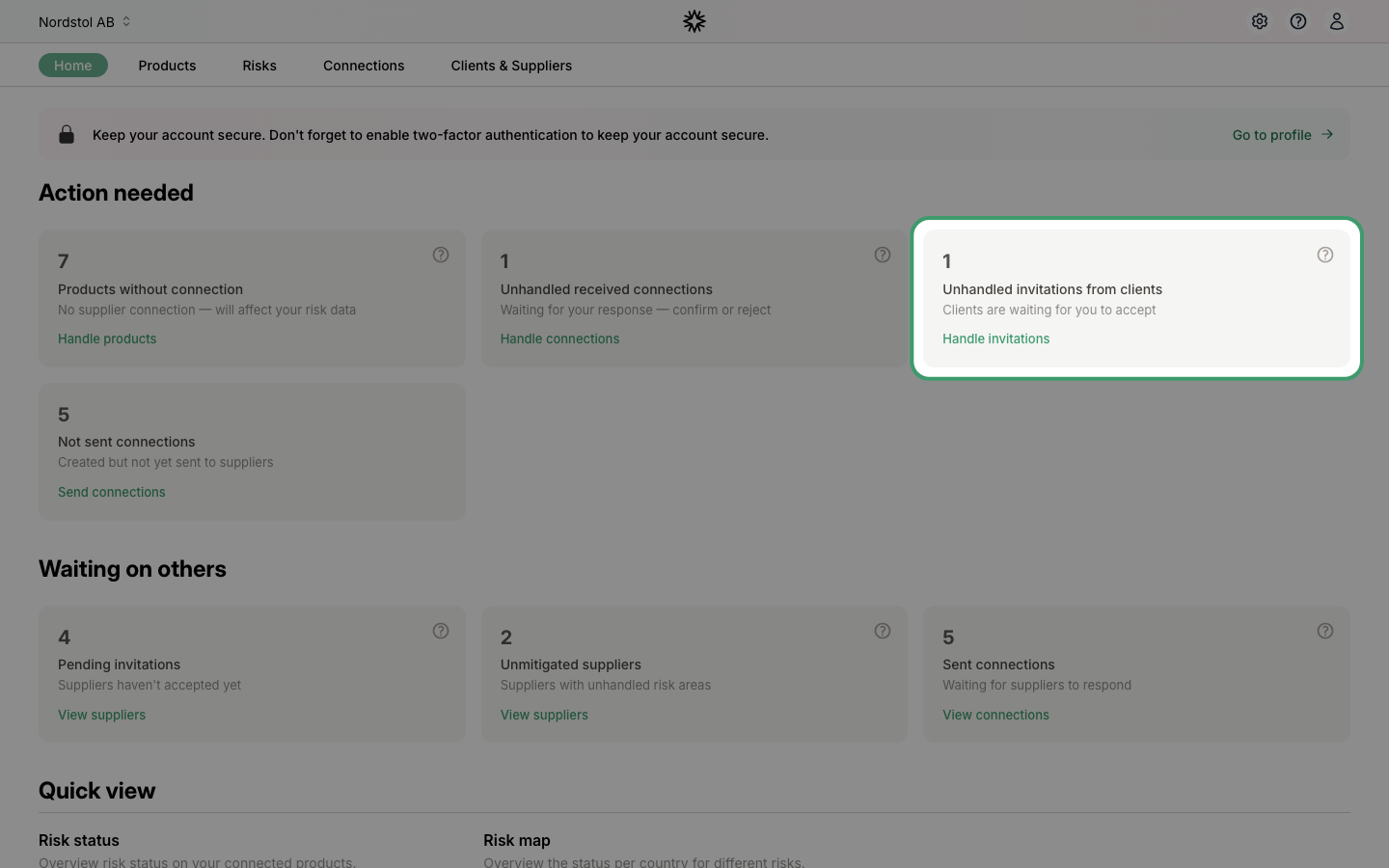
On your dashboard, the "Action needed" section shows if you have unhandled invitations from clients. Click "Handle invitations" to go directly to the clients page, or navigate there via "Clients & Suppliers" in the top menu.
View your client invitations
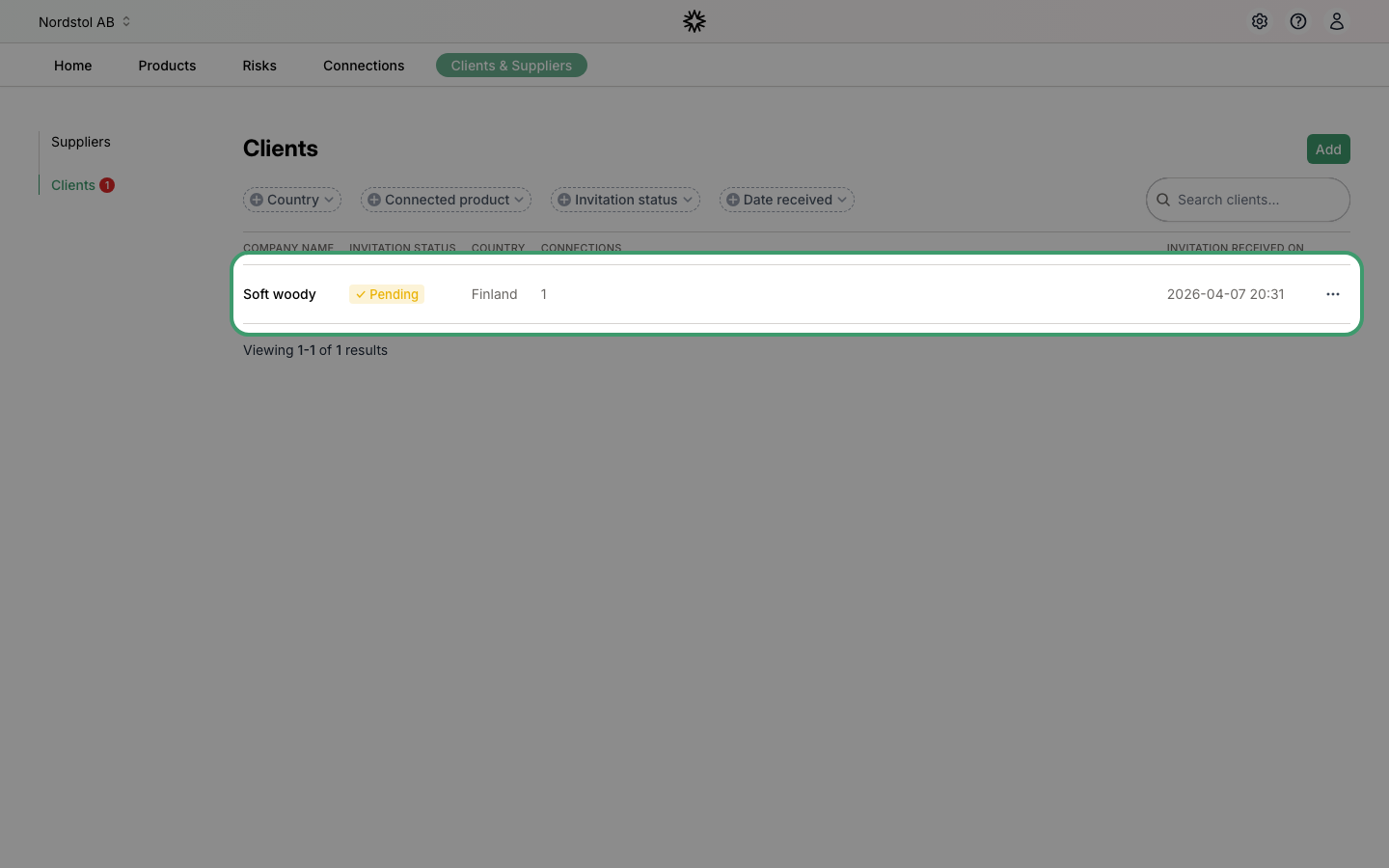
Navigate to "Clients & Suppliers" and click "Clients" in the left sidebar. Here you can see all your clients and their invitation status. Pending invitations are marked with a yellow "Pending" badge.
Accept or reject the invitation
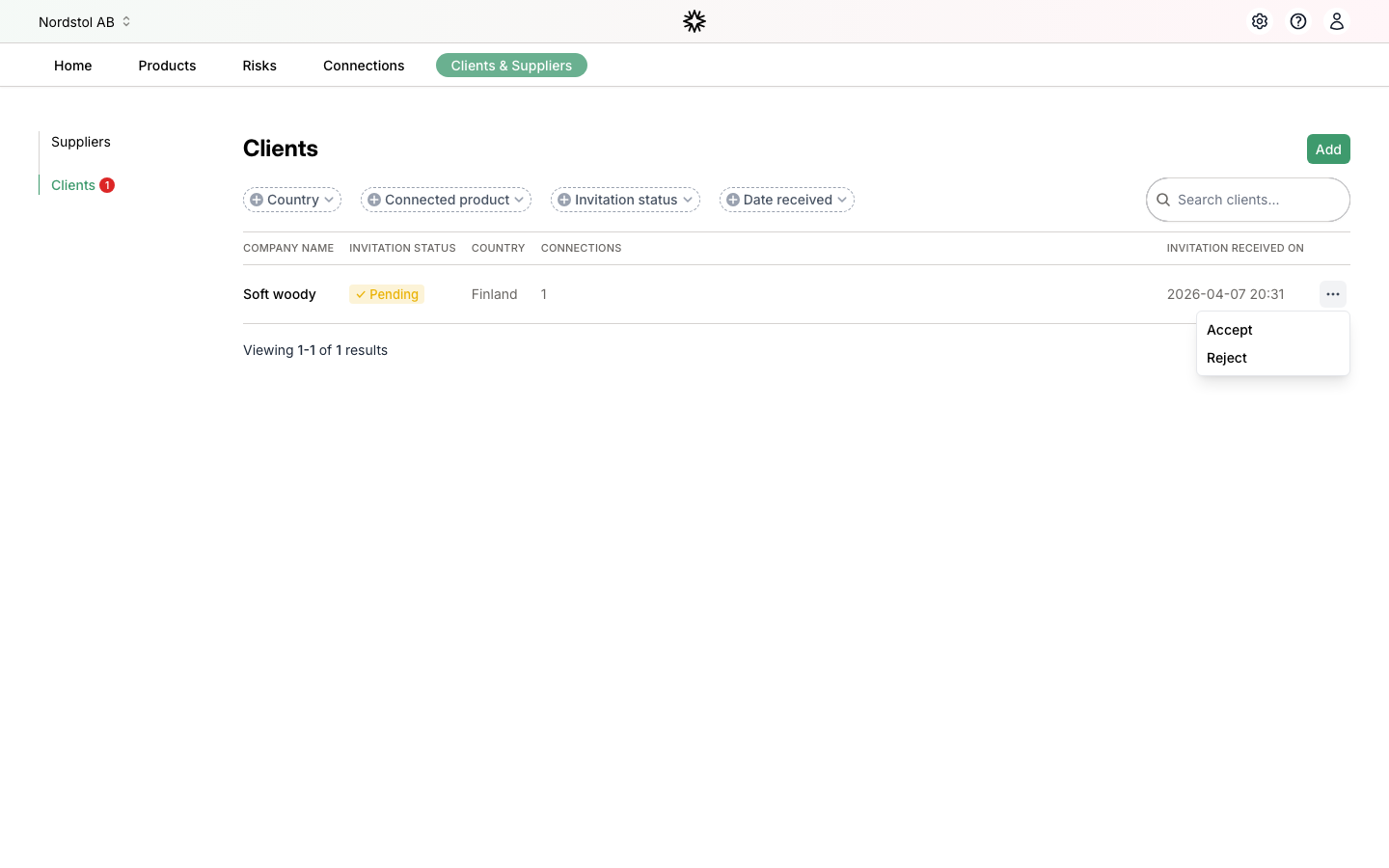
Click the three-dot menu at the end of the client row. Choose "Accept" to share your certificates and risk data with this client, or "Reject" if you do not recognize them.
Next step: Learn how to handle unhandled received connections.