Change contact details for a supplier
This guide shows you how to change the contact name and email address for a supplier in Mitigater. You can only change the contact details for suppliers that have not yet registered in Mitigater.
Navigate to Clients & Suppliers
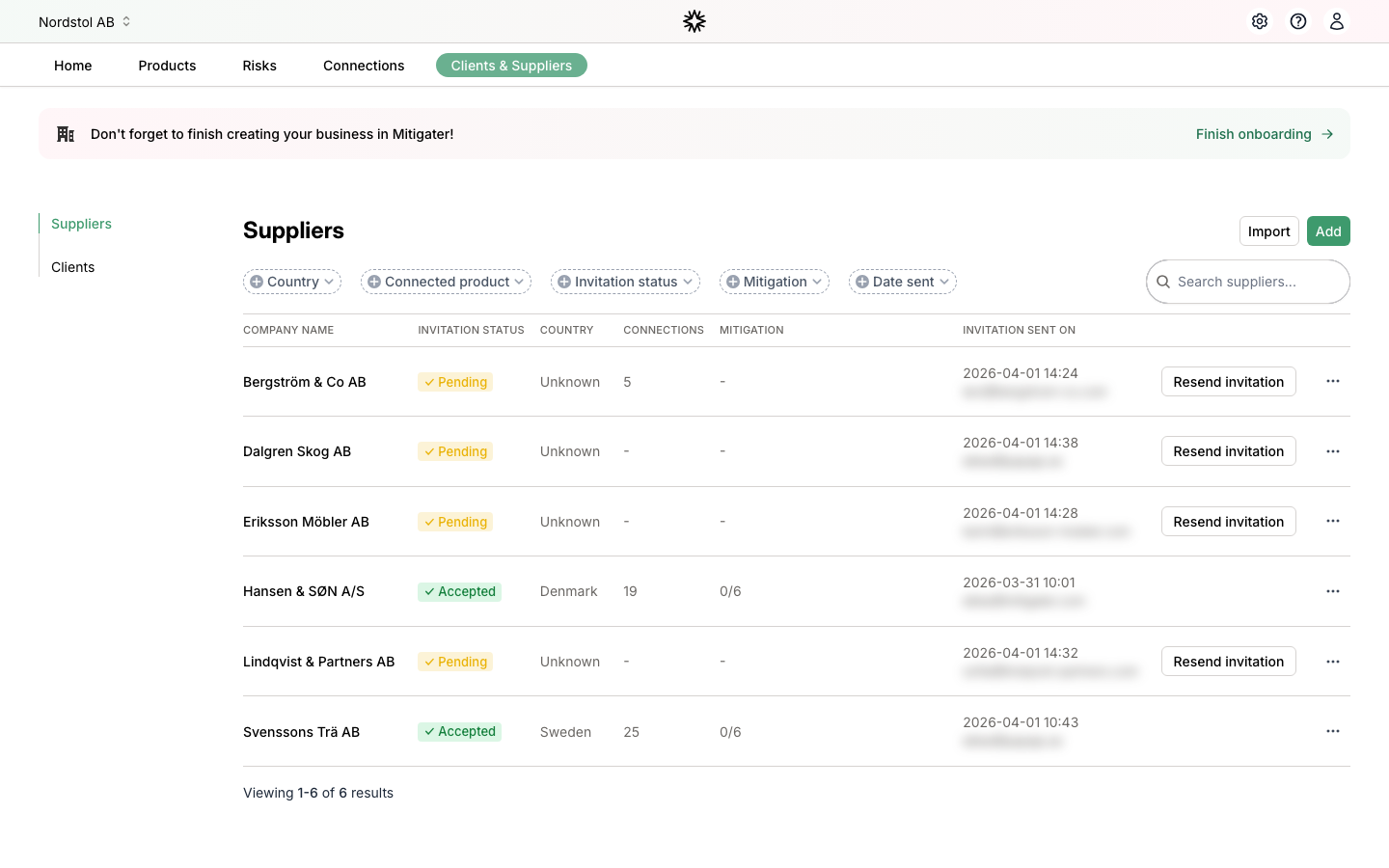
Go to the Clients & Suppliers page. Your suppliers are listed with their invitation status and contact information.
Open the actions menu
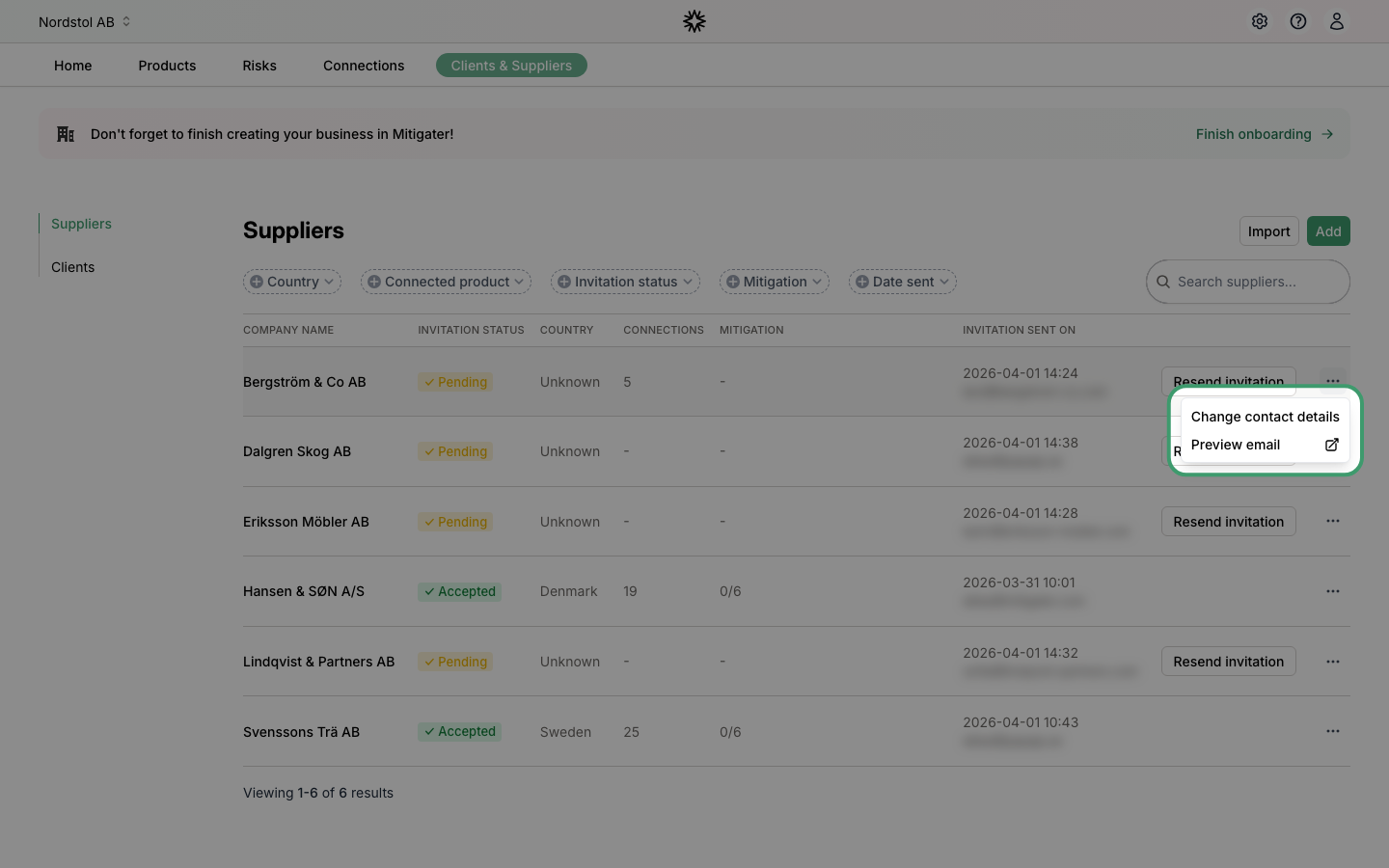
Find the supplier you want to update and click the three-dot menu icon on the right side of their row.
Click Change contact details
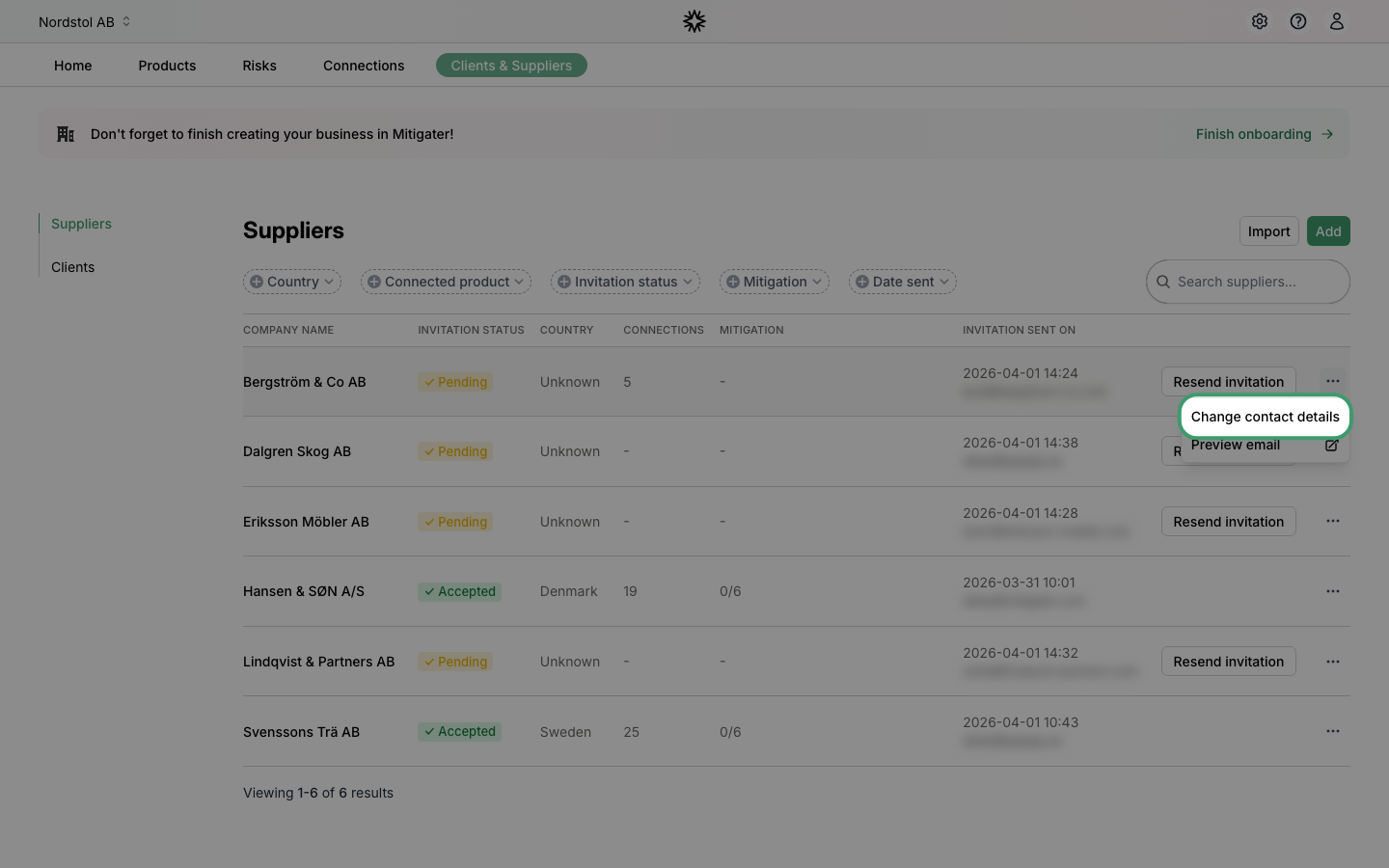
Select Change contact details from the dropdown menu.
Review the current details
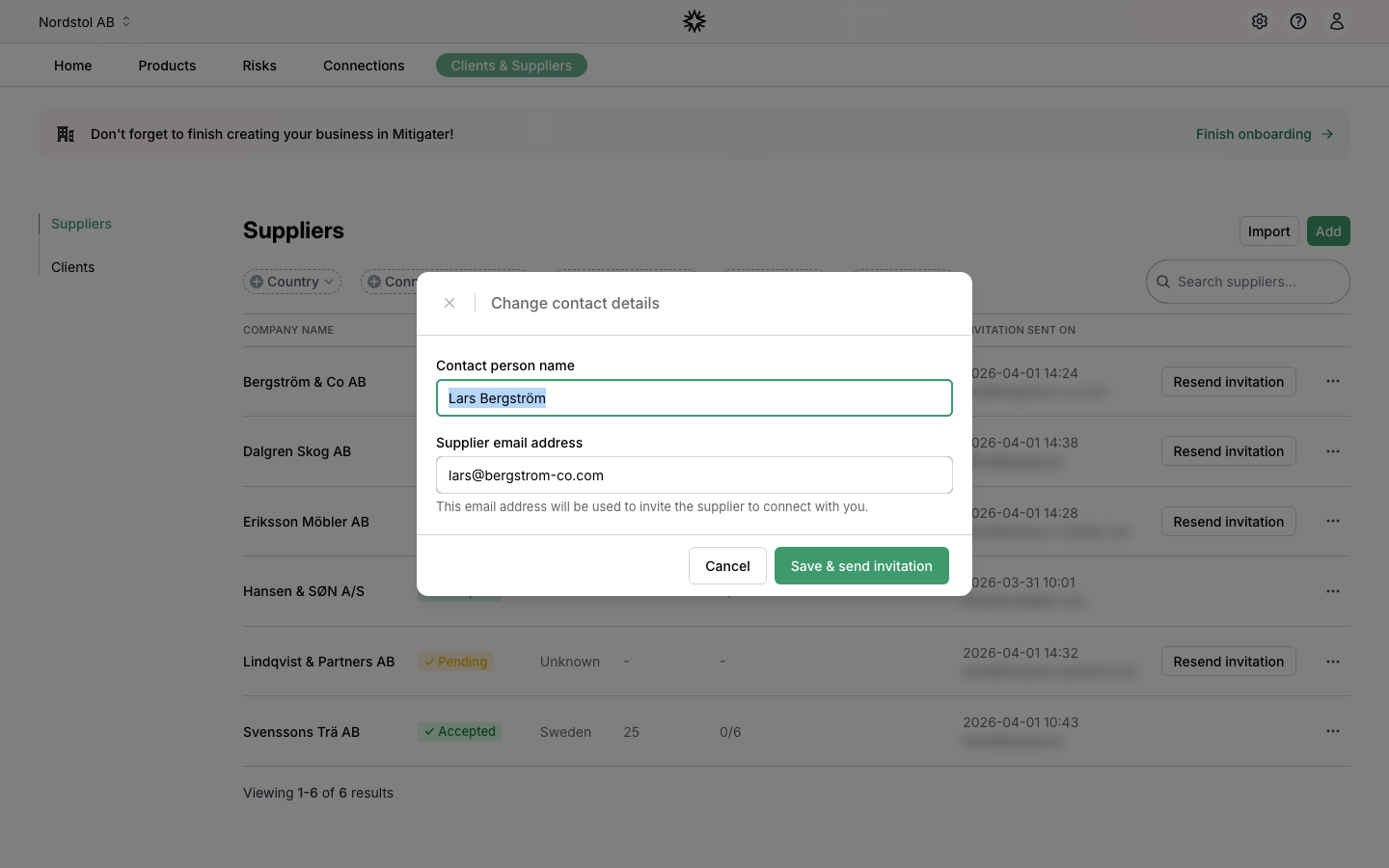
A modal opens showing the current contact person name and email address for the supplier.
Update the details
Edit the Contact person name and Supplier email address fields with the new information.
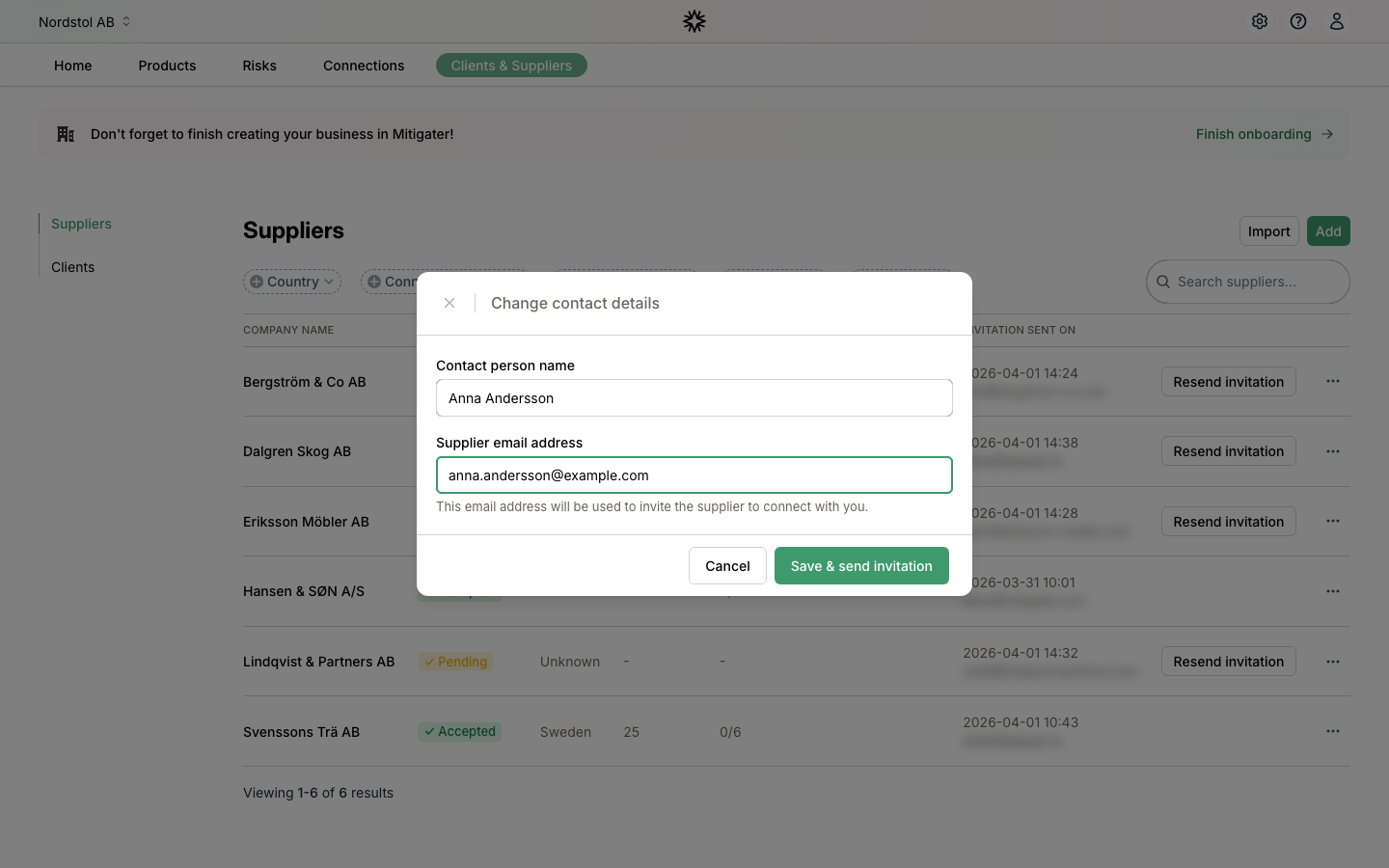
Save and send invitation
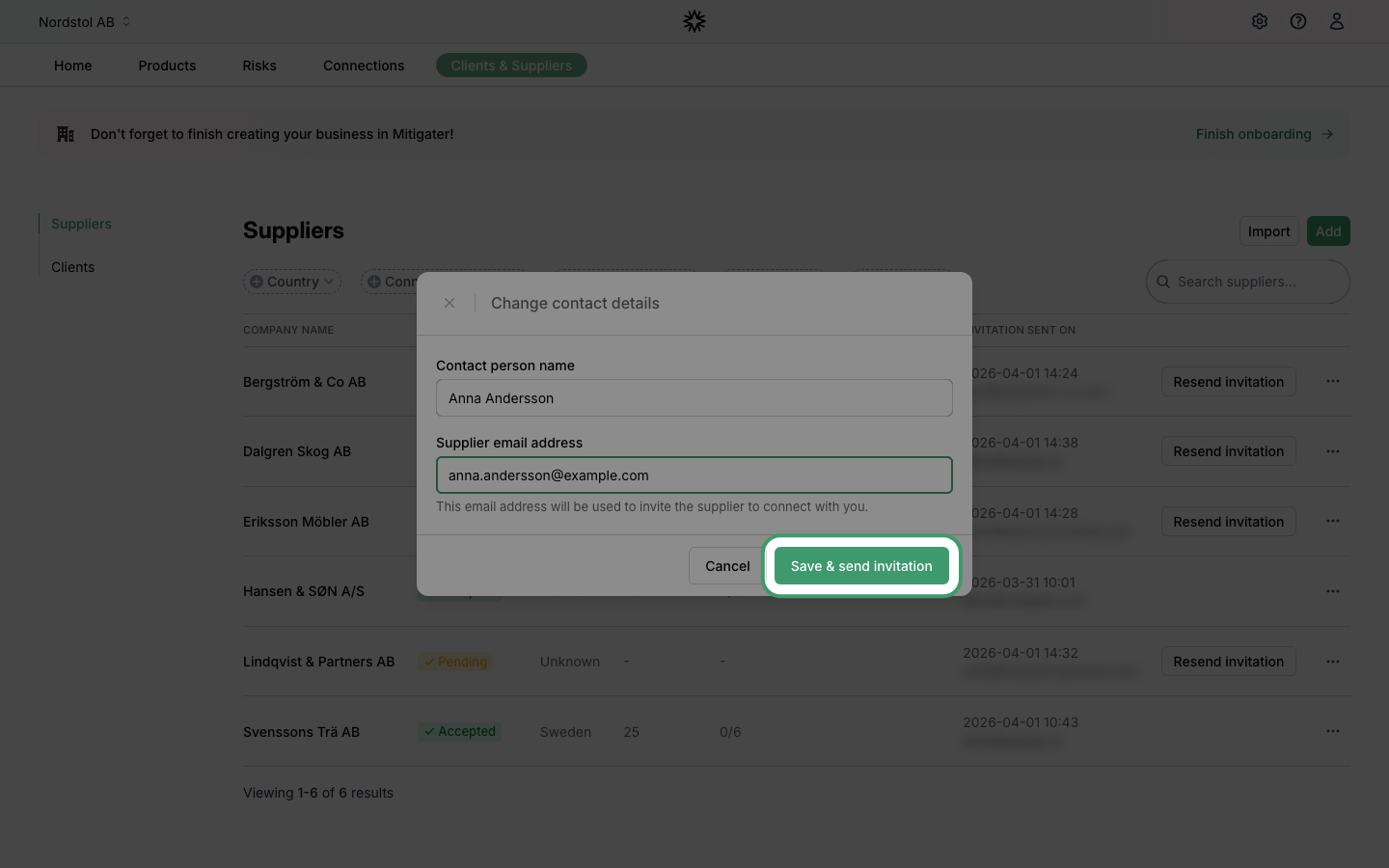
Click Save & send invitation to update the contact details and send a new invitation to the updated email address.
 Next step: Learn how to add another company.