Invite your suppliers
This guide explains how to invite your suppliers to Mitigater. Once invited, your suppliers will receive an email guiding them to create an account and connect with you. Their information will become available to you after they accept the invitation.
Find your suppliers
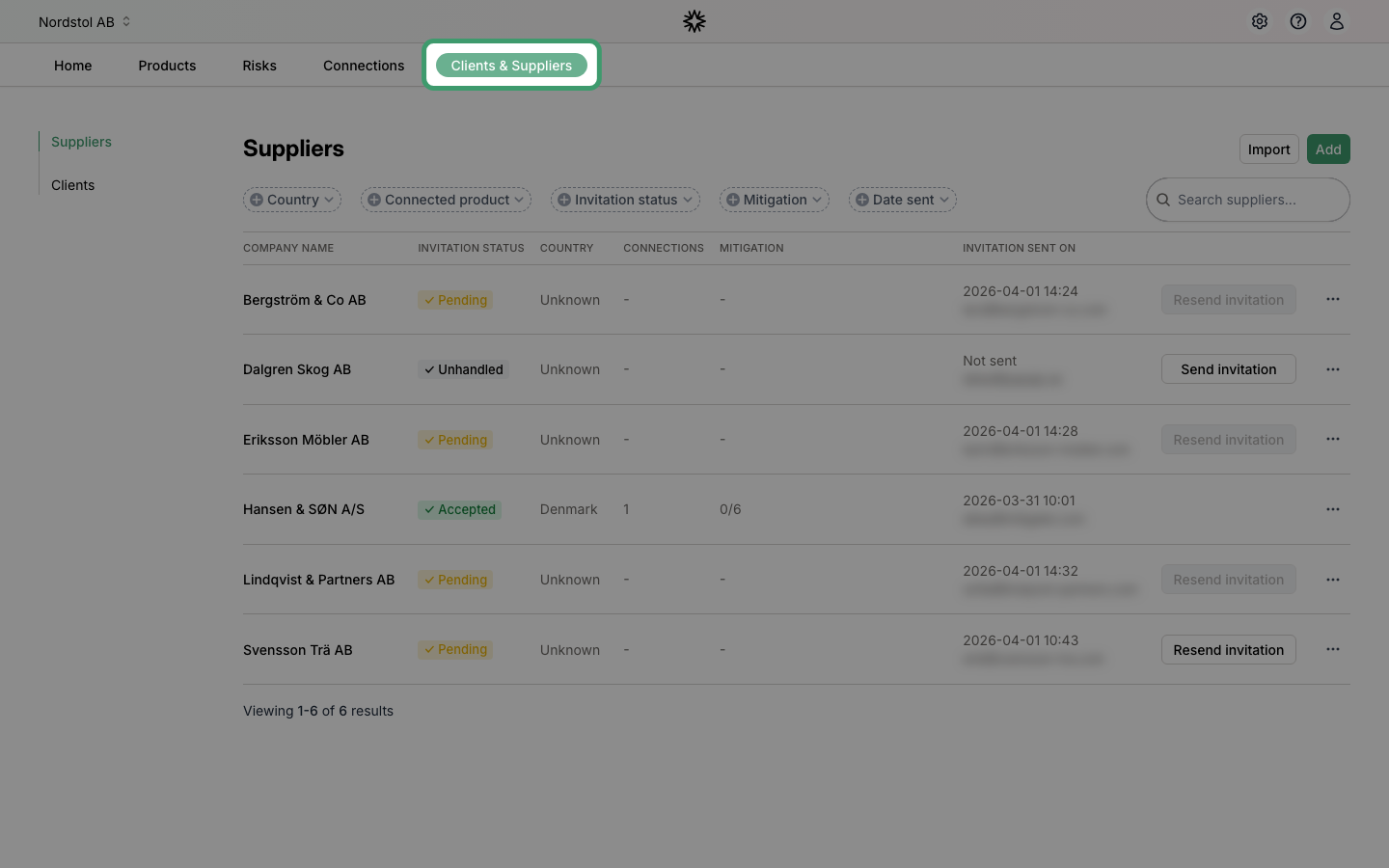
Click "Clients & Suppliers" in the top navigation to access the area where you manage your suppliers and clients.
Send the invitation
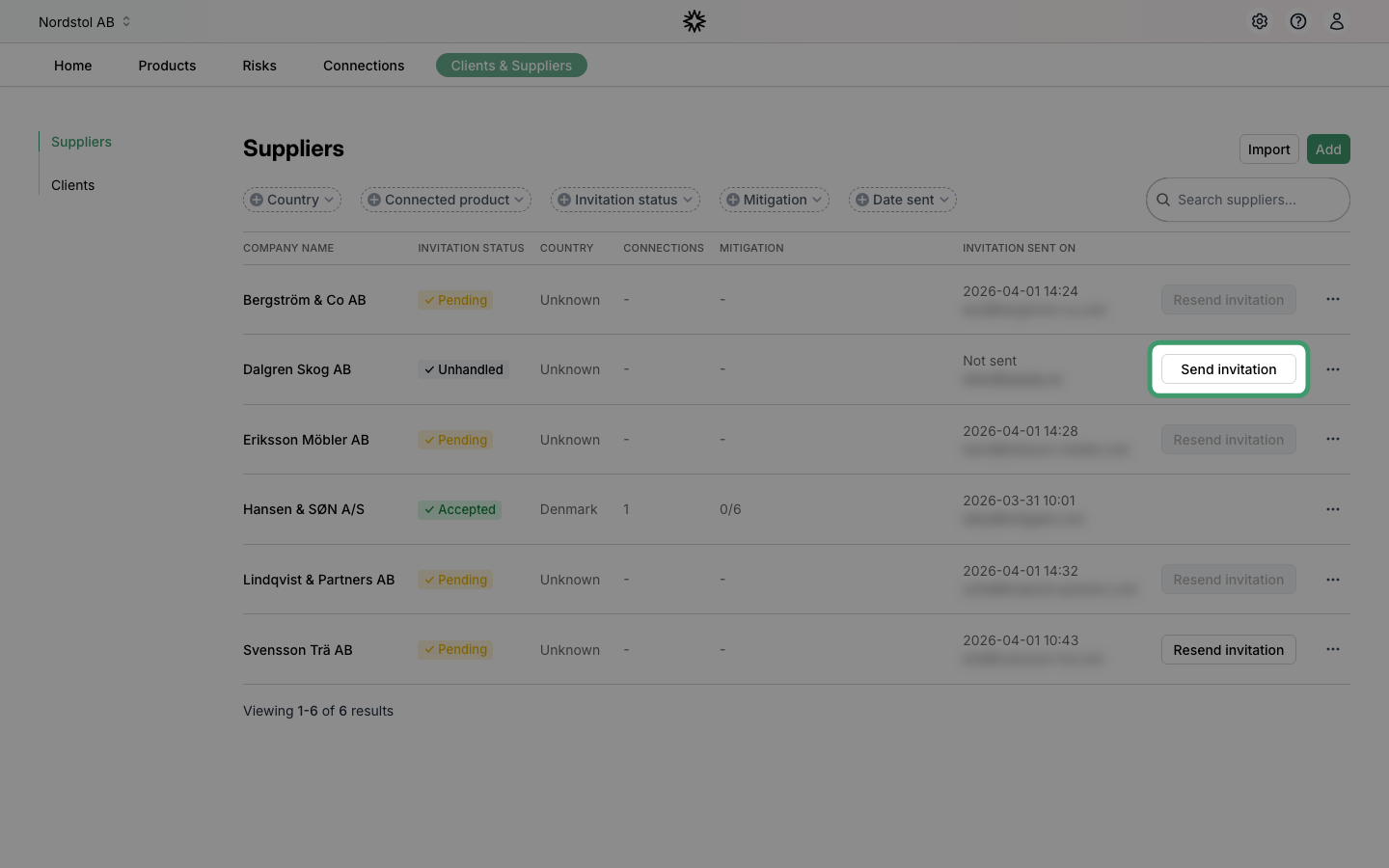
Find the supplier you want to invite and click "Send invitation". An email will be sent to the supplier's contact person with instructions on how to join Mitigater.
After the invitation is sent
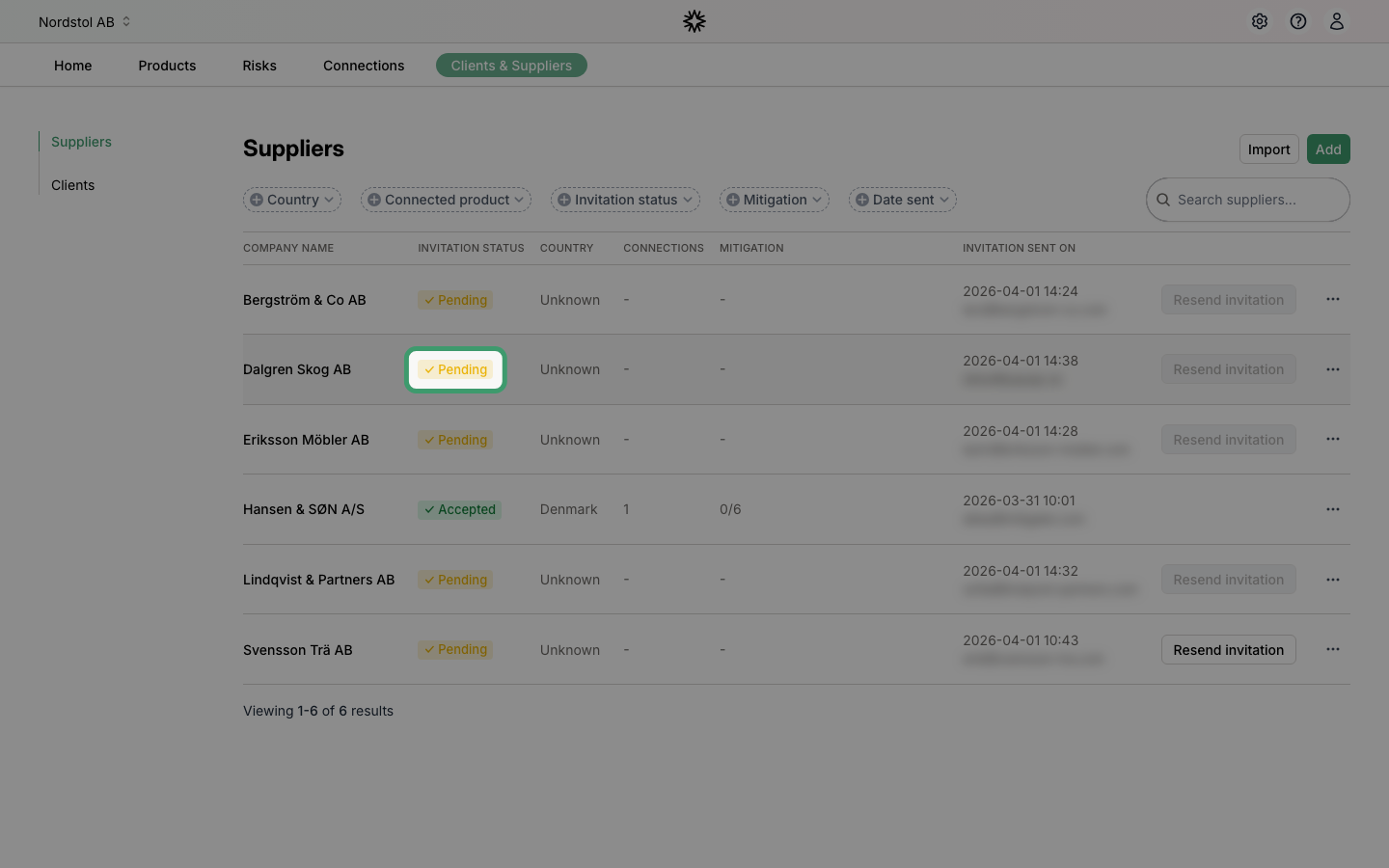
The invitation status changes to "Pending" and the sent date is recorded. You can resend the invitation after some time if needed — the button is temporarily disabled to prevent spamming.
Access settings for a supplier
Click the three dots at the end of a supplier row to access the settings menu for that supplier.
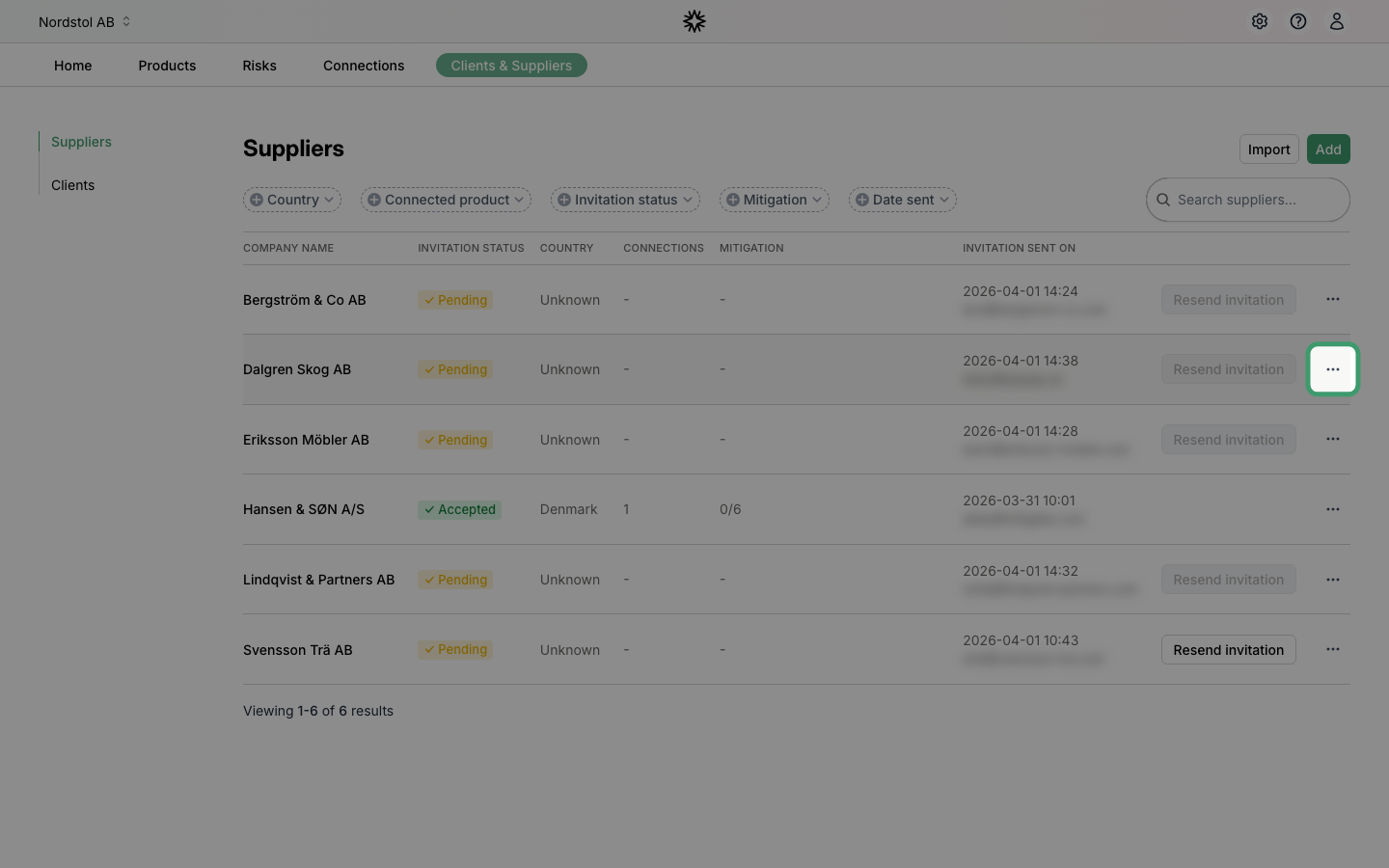
A dropdown menu will appear with the available actions.
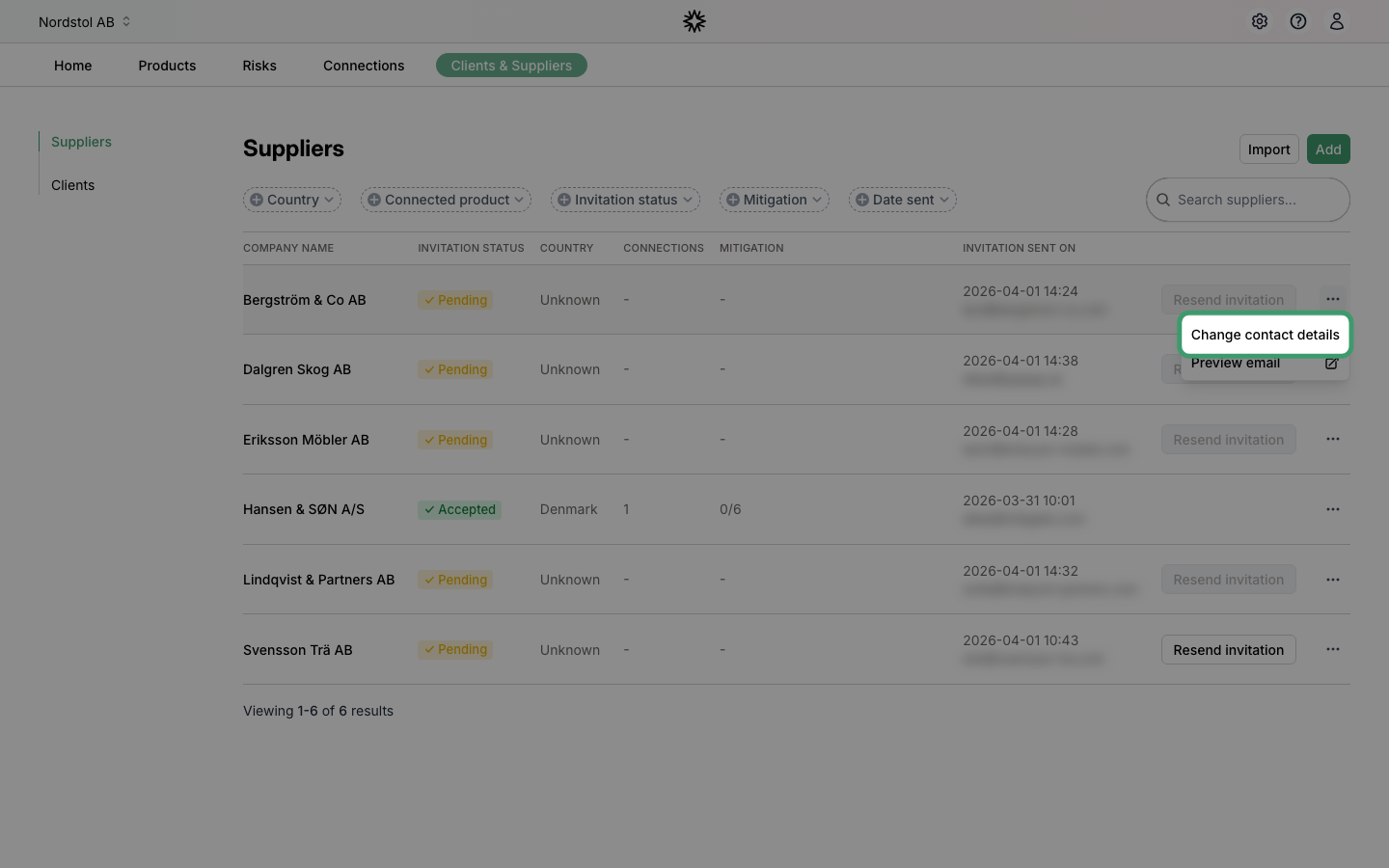
Change contact details
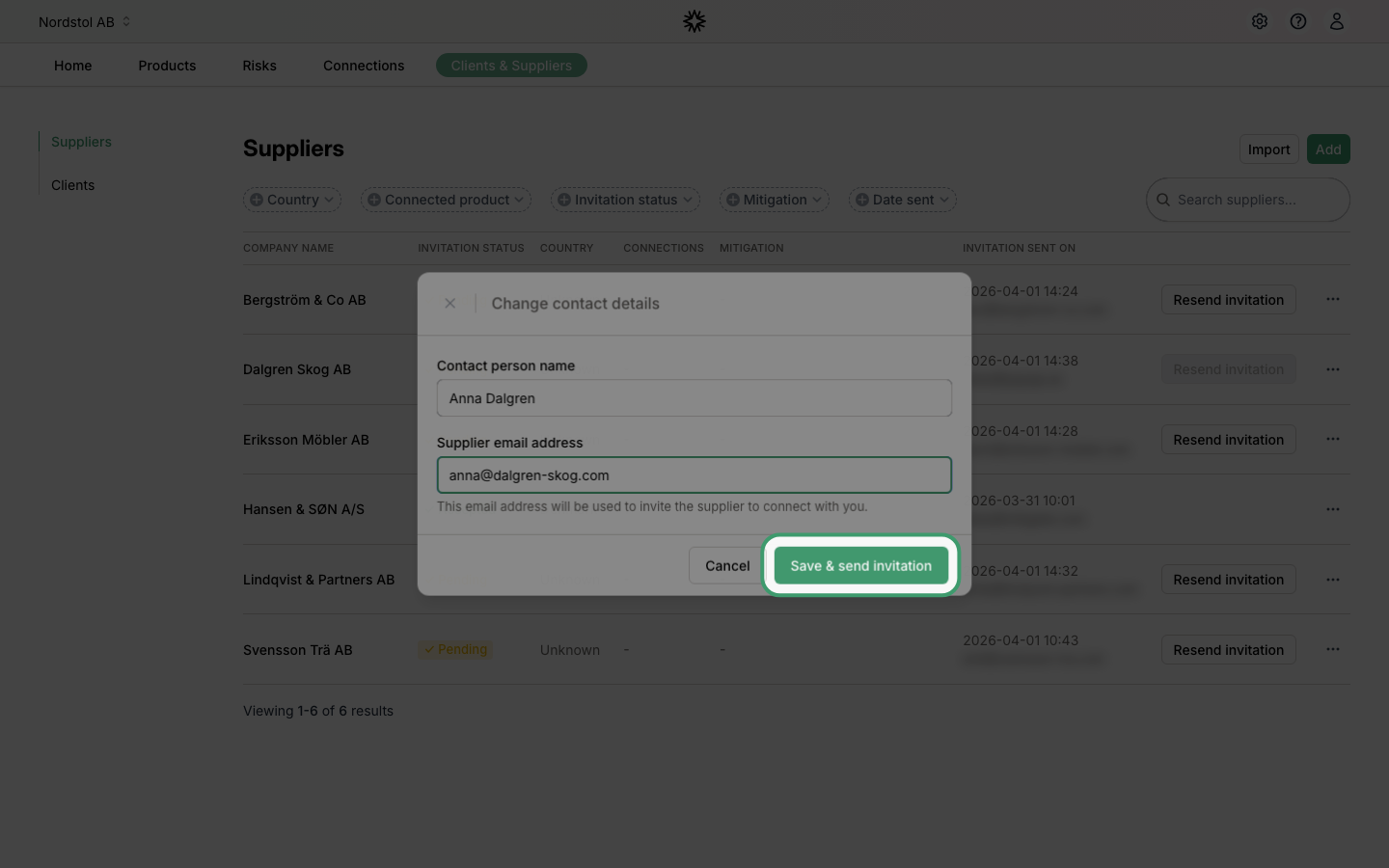
If you are not getting a response, you can change the contact person for a supplier. Click "Change contact details" in the settings menu to update both the name and email address. Click "Save" to confirm.
No result? Learn how to handle pending invitations.