Pending invitations to your suppliers
This guide explains how to handle pending supplier invitations in Mitigater. When you have invited suppliers that haven't yet accepted, you can track their status and resend invitations if needed.
Dashboard notification
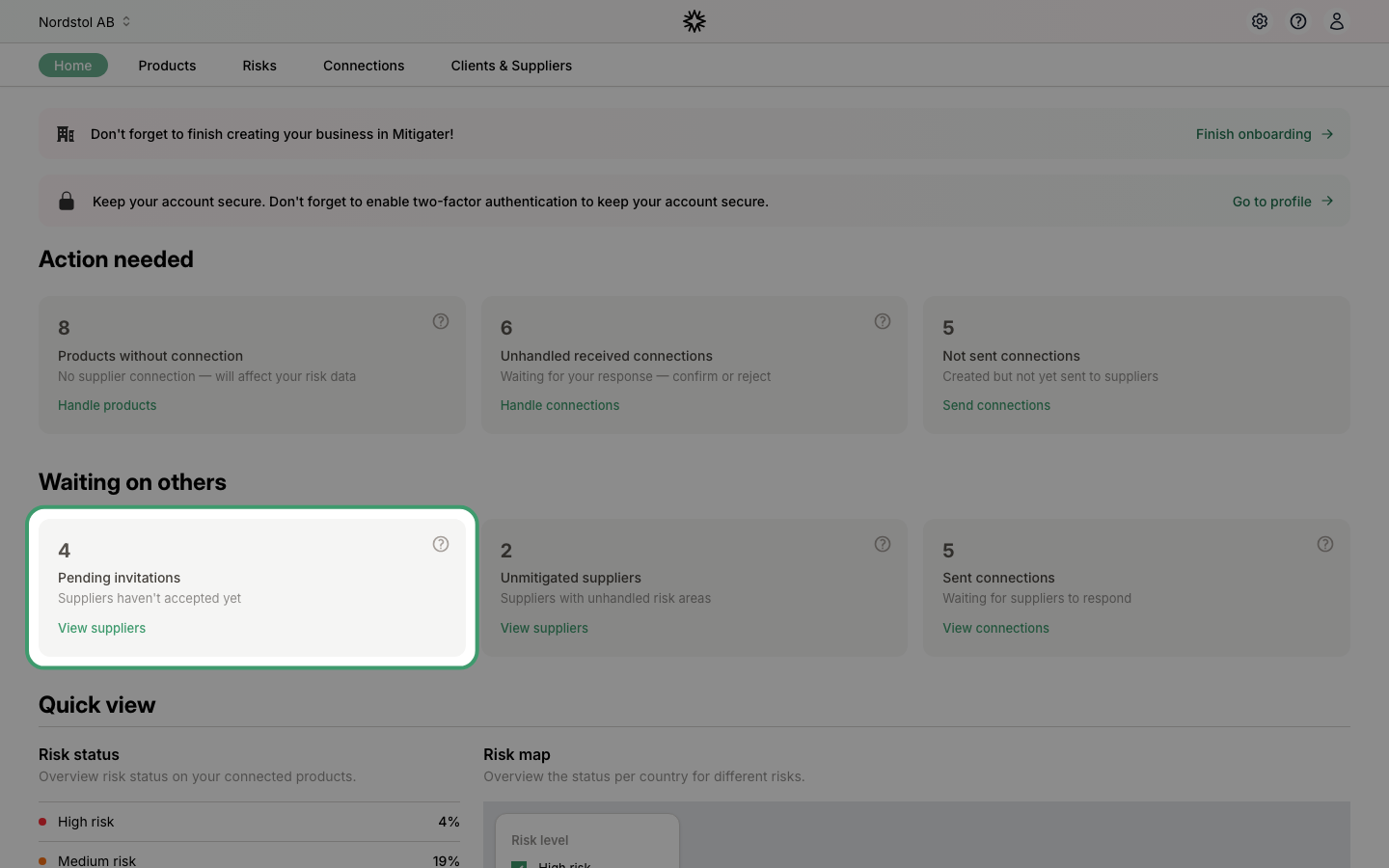
On your dashboard under Waiting on others, you can see how many suppliers have pending invitations. Click View suppliers to go to the suppliers list.
Your suppliers list
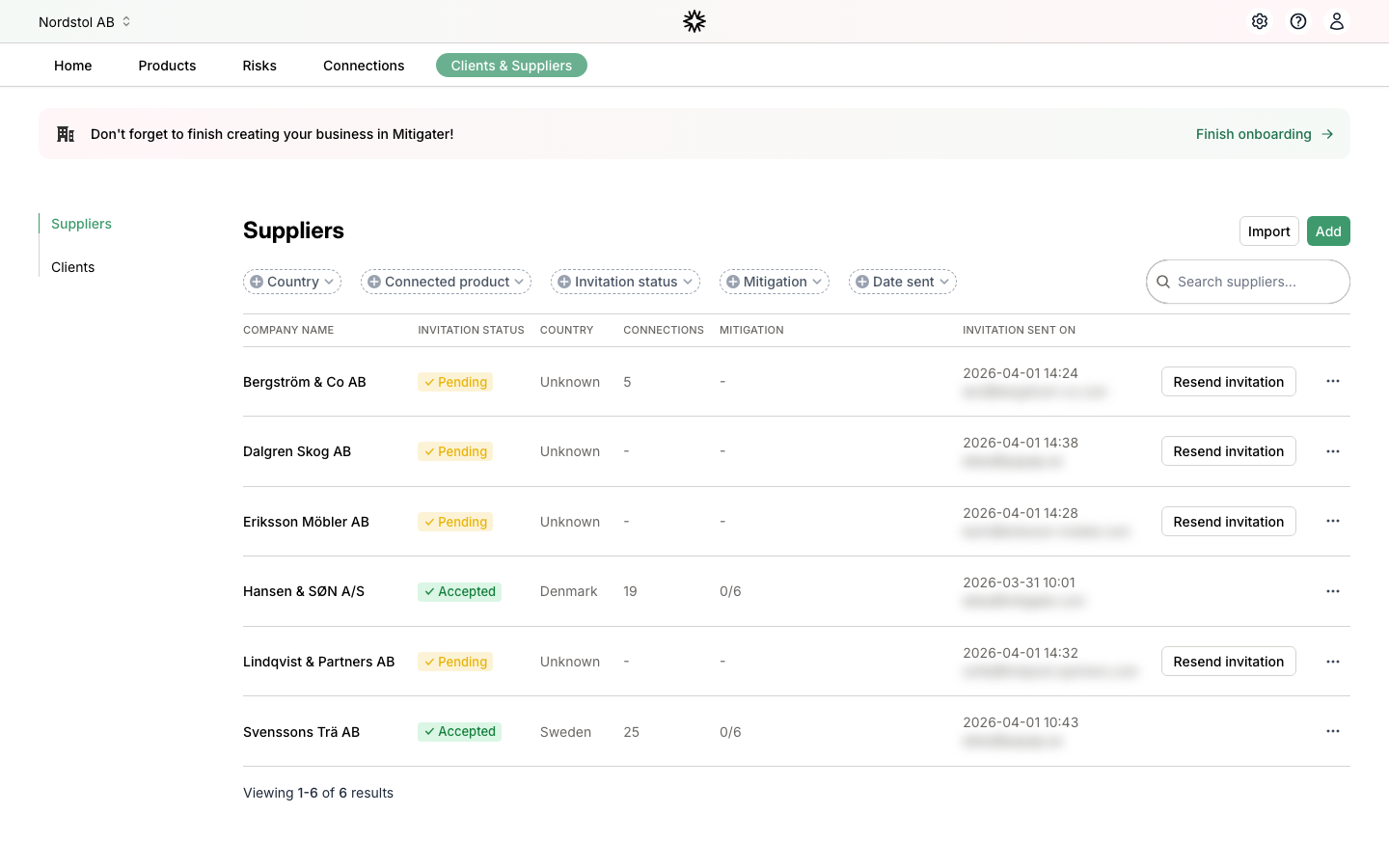
The Clients & Suppliers page shows all your suppliers with their invitation status. Suppliers with a Pending status have been invited but haven't accepted yet.
Resend an invitation
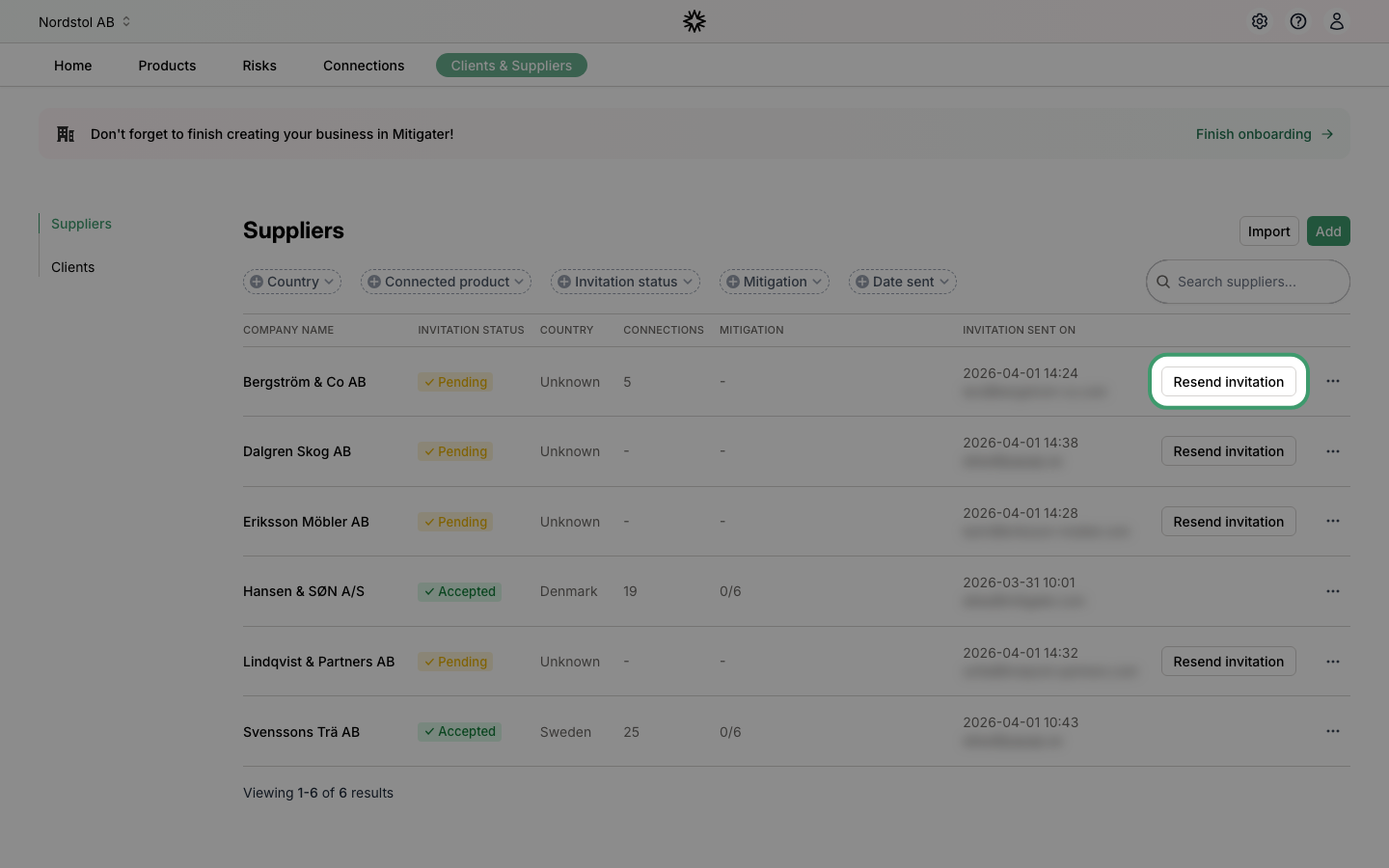
If a supplier hasn't responded, you can click Resend invitation to send them a new email. The button will be temporarily disabled after clicking to avoid sending too many reminders.
If the supplier still doesn't respond, the invitation may have been sent to the wrong email address. Learn how to change contact details for a supplier.
Next step: Learn how to handle suppliers without mitigation.