Unhandled sent connections
This guide explains what "unhandled sent connections" means in Mitigater and where to find them.
Dashboard notification
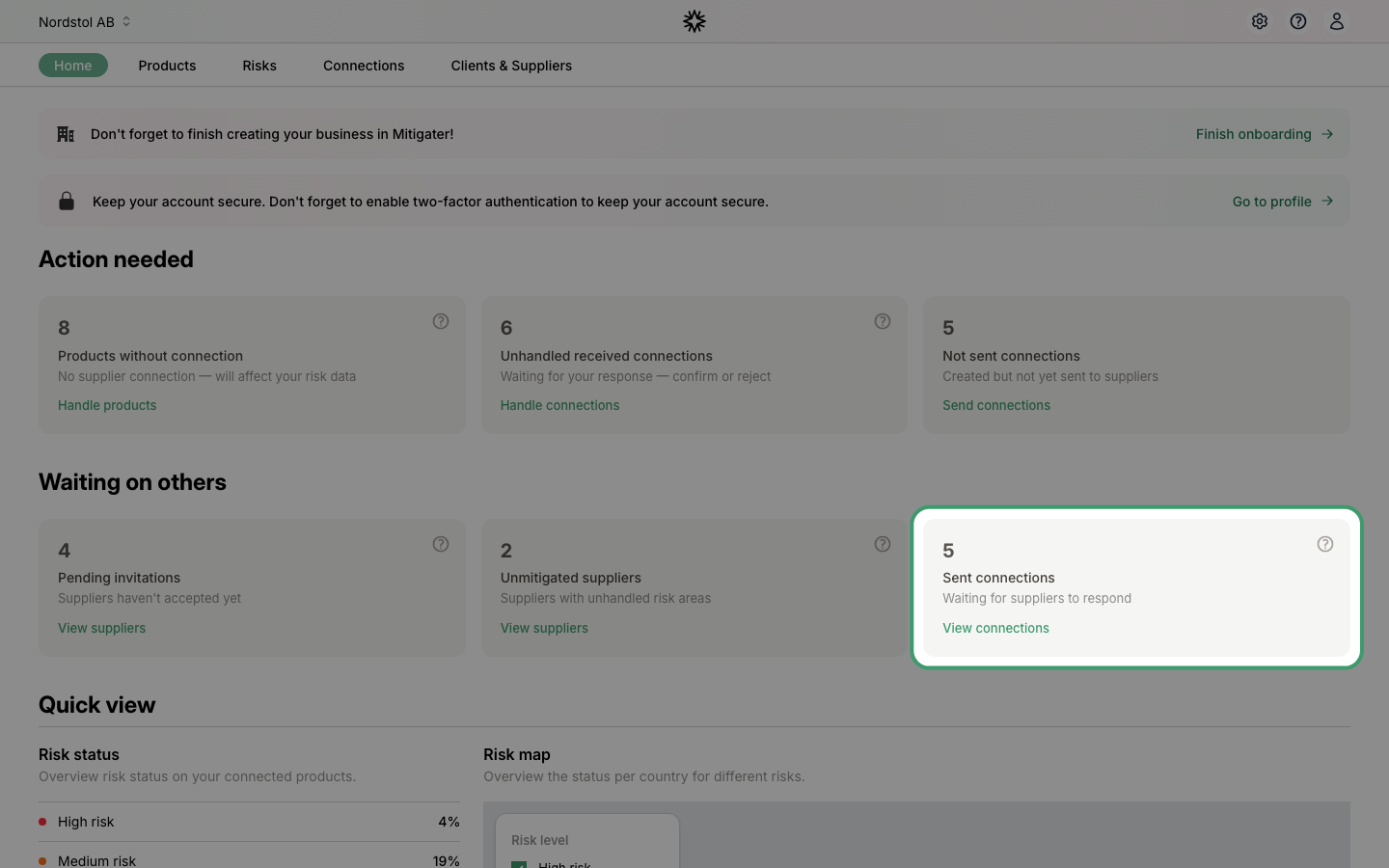
On your dashboard under Waiting on others, you can see how many sent connections are waiting for your suppliers to respond. Click View connections to see the details.
Your unhandled connections
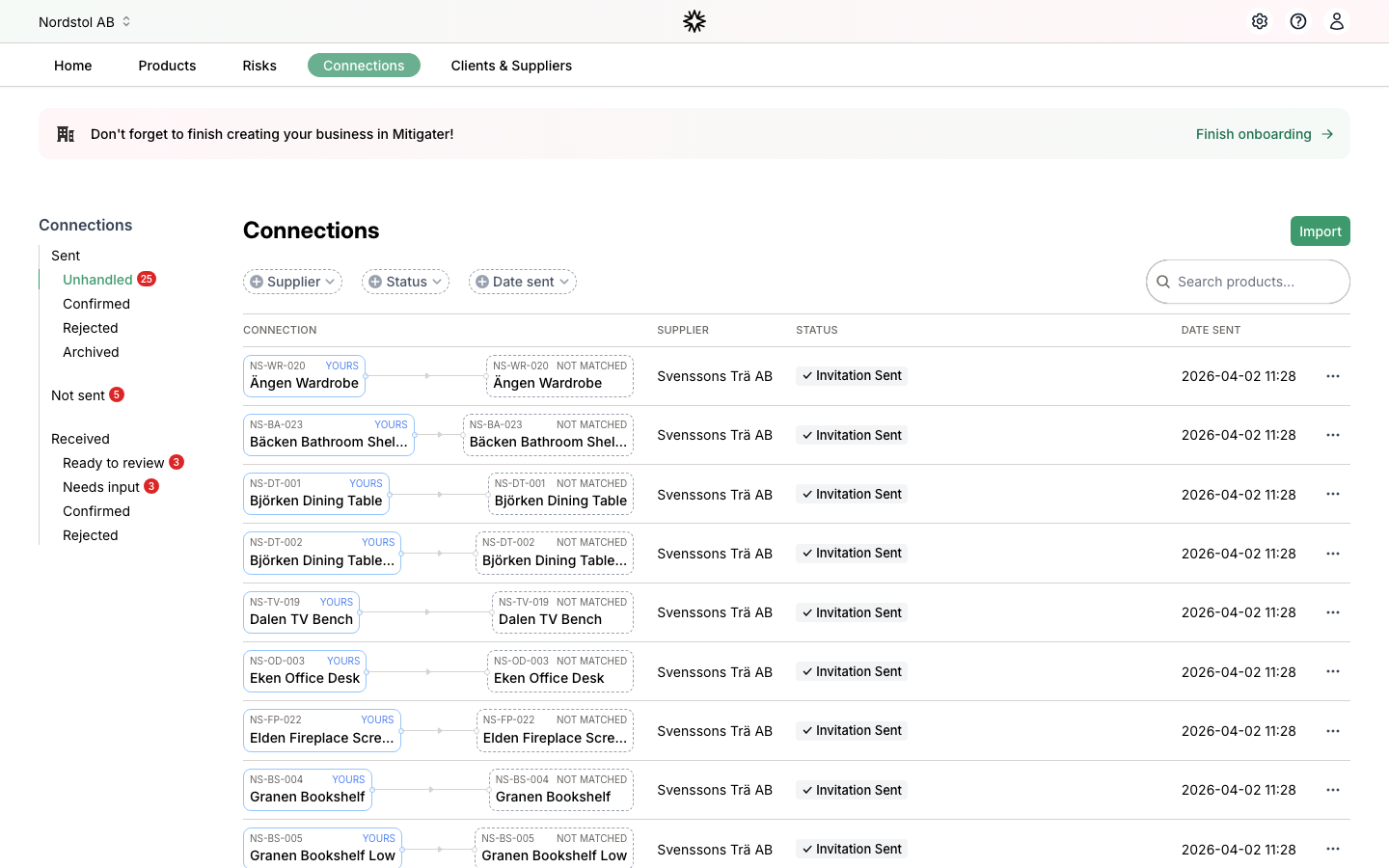
The Connections page shows your sent connections under Sent > Unhandled. These are connections where your supplier has not yet matched their product to the connection you sent. The status Invitation Sent means the supplier has been notified but hasn't responded yet.
If a supplier isn't responding, you can resend the invitation from the Clients & Suppliers page, or change their contact details if the email was wrong.
Next step: Learn how to change contact details for a supplier.