Import data with Excel
This guide explains how to import your products, suppliers, and connections using spreadsheet files. You can import each type separately or upload all data at once using a single template.
Option 1: Import separately
Importing separately gives you full control over each step. You import products first, then suppliers, and finally connections.
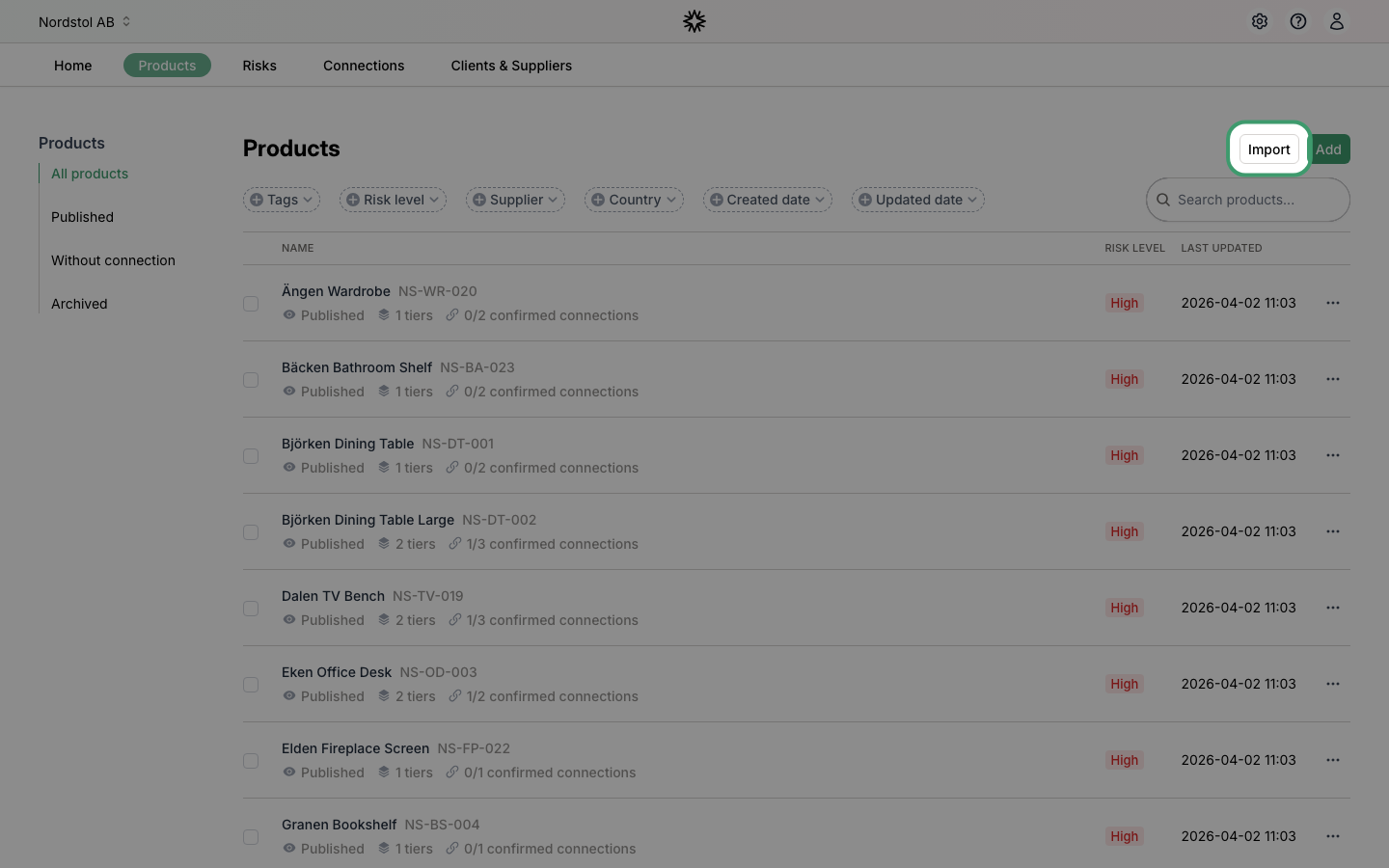
Step 1: Start the products import
Navigate to the "Products" page and click the "Import" button in the top right corner.
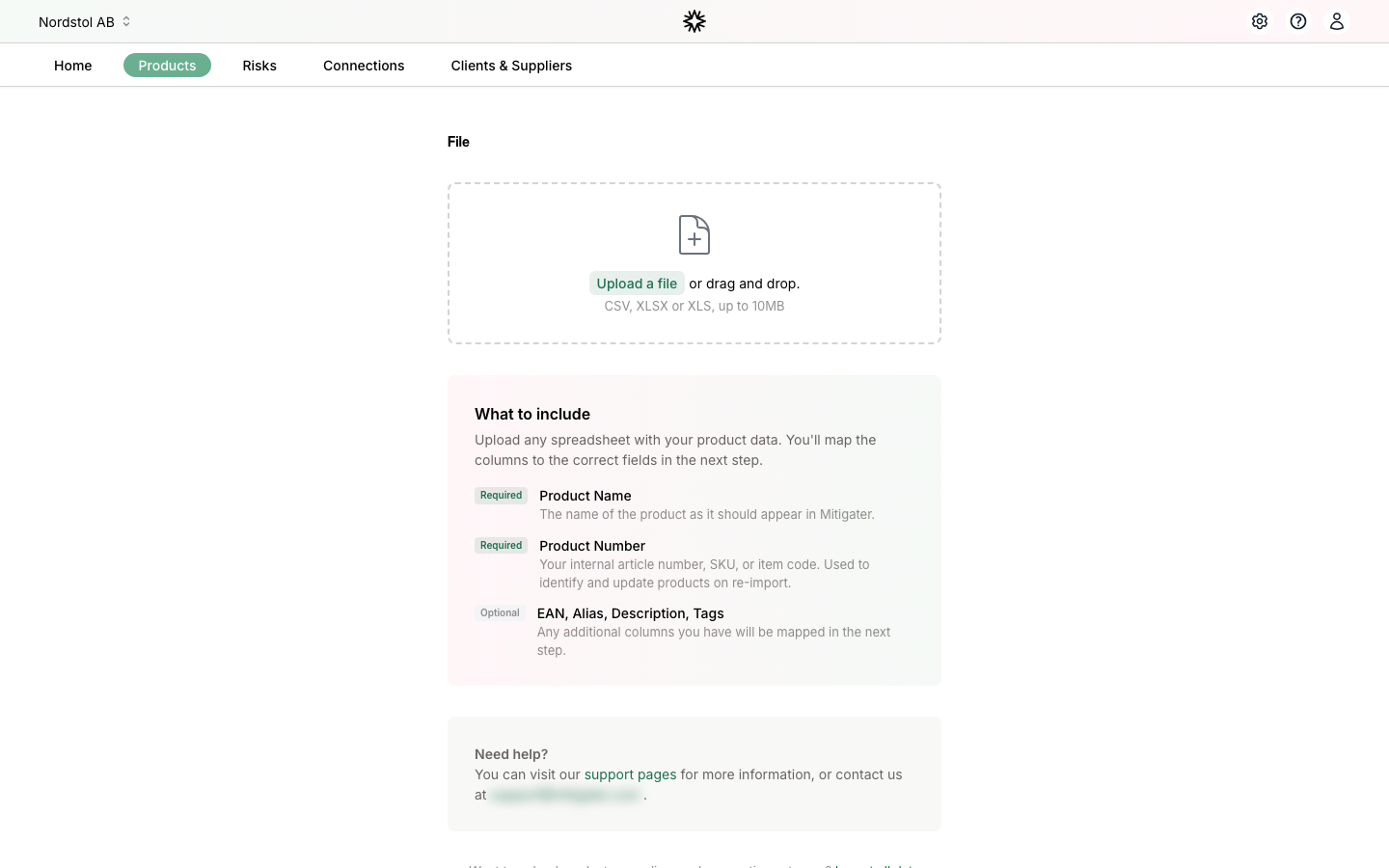
Step 2: Upload your file
Upload a spreadsheet file containing your products. Supported formats are CSV, TSV, TXT, XLSX, and XLS (max 1 MB). You can drag and drop the file or click to browse.
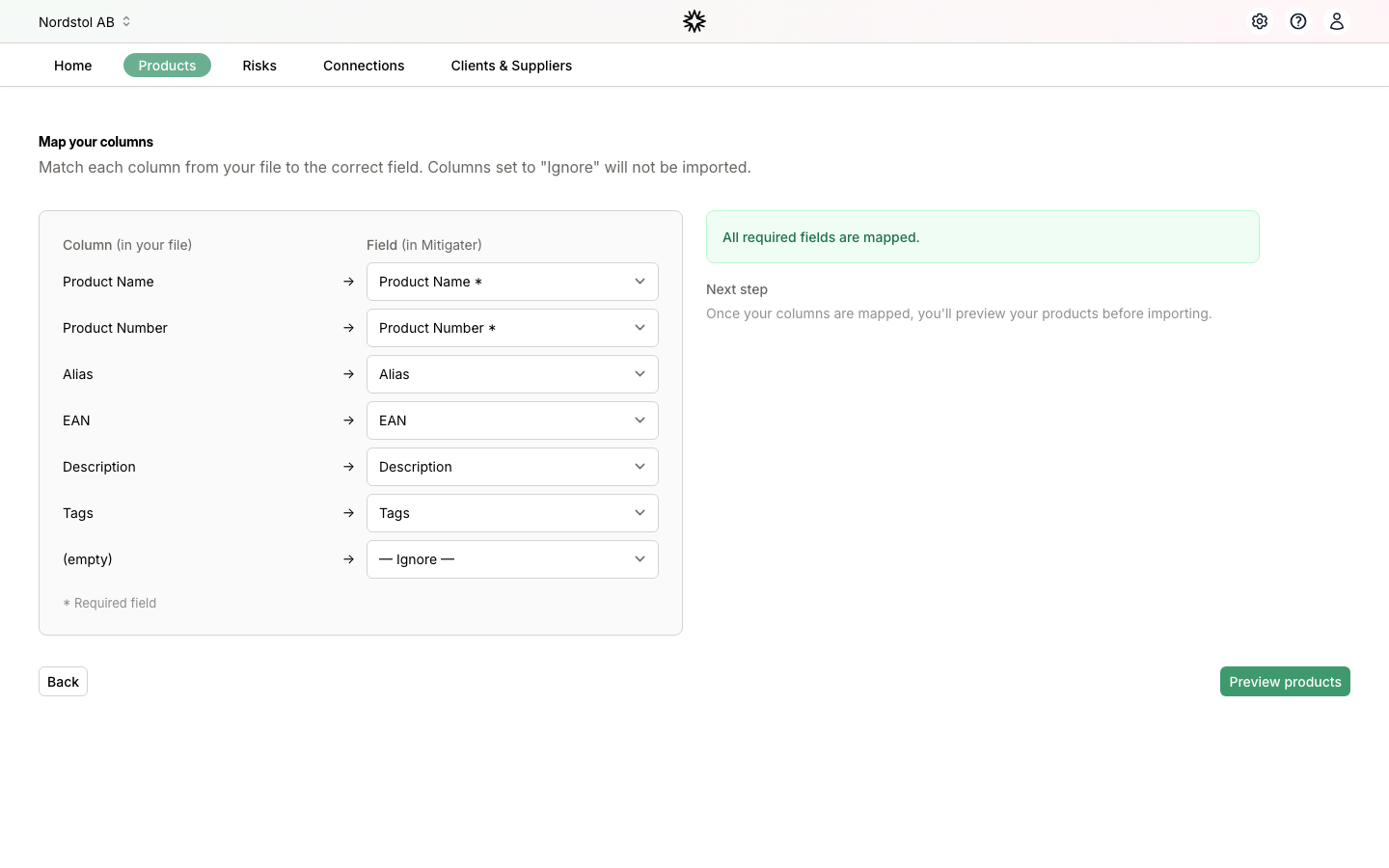
Step 3: Map your columns
Mitigater automatically detects your column names and maps them to the correct fields. Review the mapping and adjust if needed. Columns set to "Ignore" will not be imported. All required fields must be mapped before you can continue.
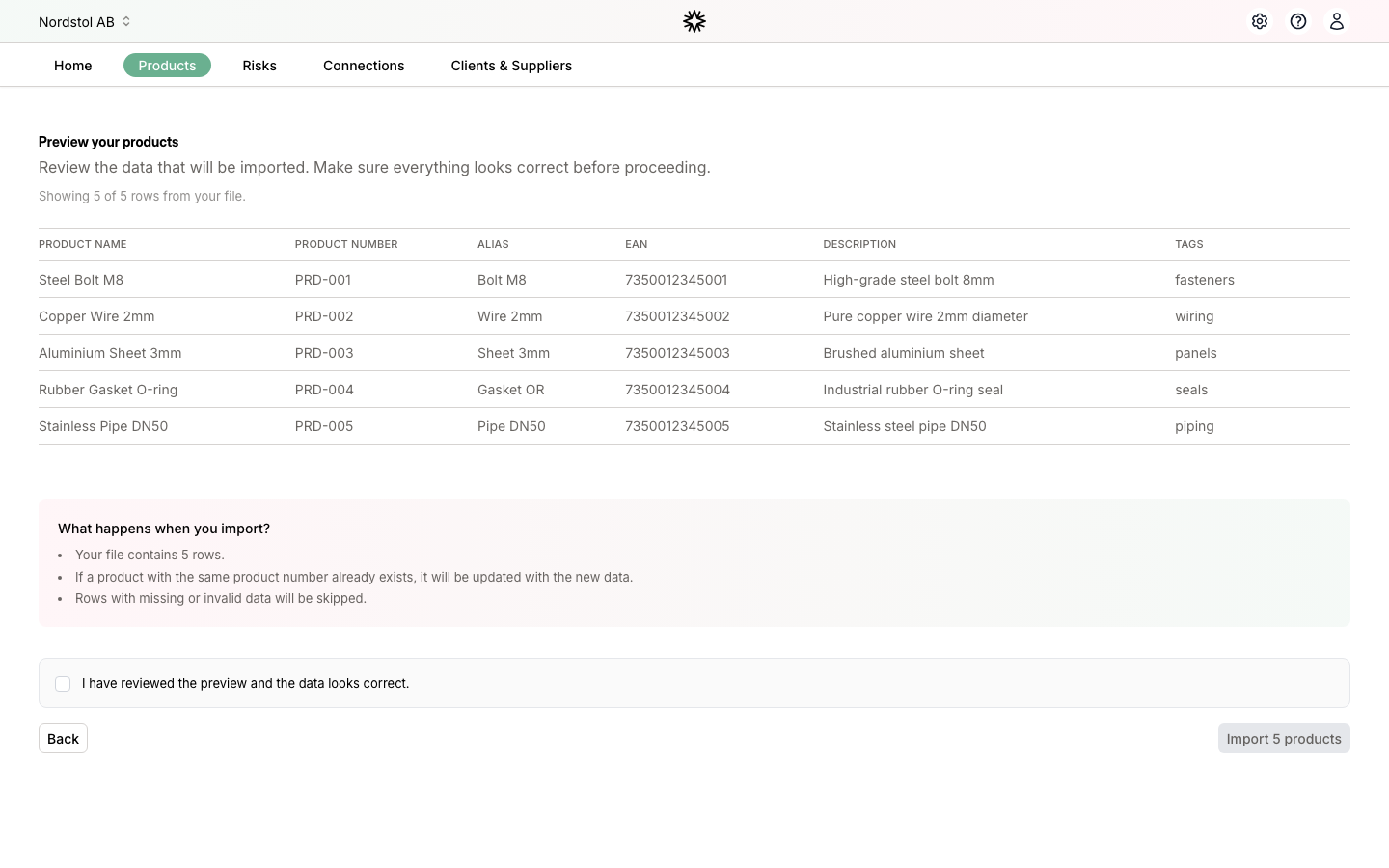
Step 4: Preview and confirm
Review the preview of your data before importing. Rows with missing required fields are highlighted. Check the confirmation box and click "Import" to start the import.
Step 5: Import your suppliers
Next, import your suppliers. Navigate to "Clients & Suppliers", switch to the "Suppliers" tab, and click "Import". The process works the same way — upload, map columns, preview, and confirm.
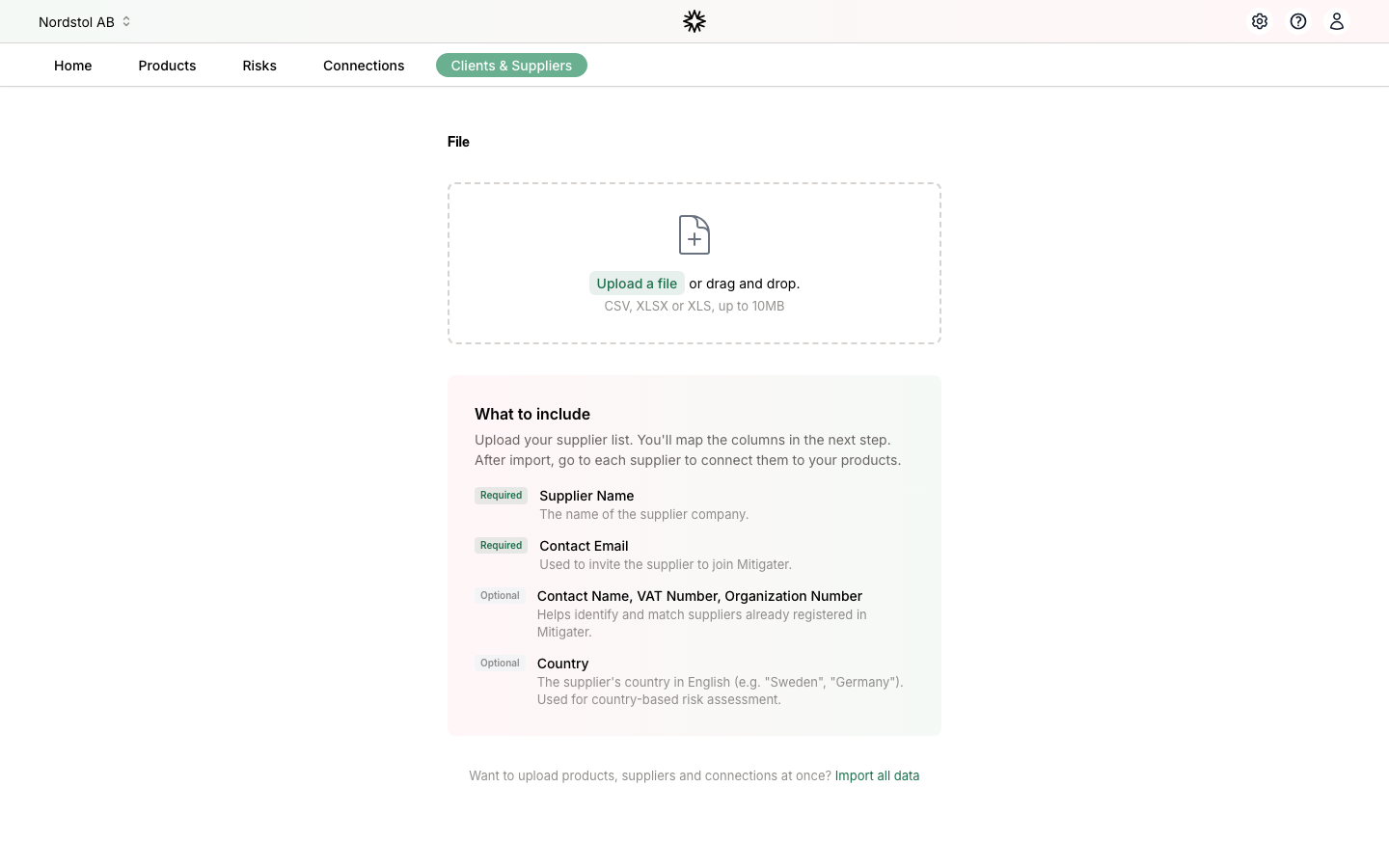
Step 6: Import your connections
Finally, import your connections. Navigate to "Connections" and click "Import". Connections link your products to your suppliers' products. You need to have both products and suppliers imported before you can import connections.
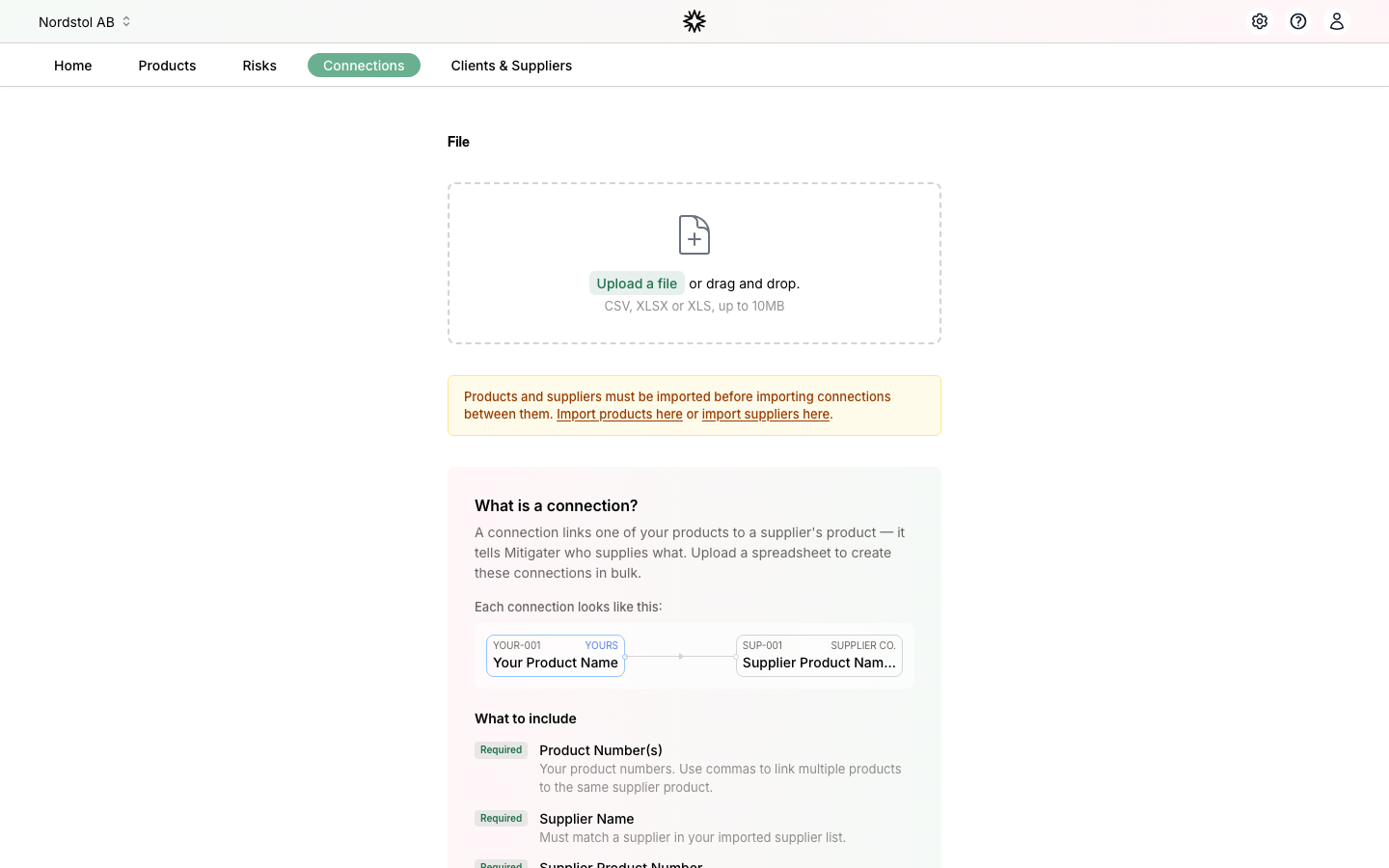
Option 2: Import all data at once
If you prefer to upload everything in one go, you can use the "Import all data" option. You will find a link to it at the bottom of any of the individual import pages (products, suppliers, or connections). Click "Import all data" to get to the combined import page. From there, download the template, fill in the three sheets (Products, Suppliers, Connections), and upload the completed file.
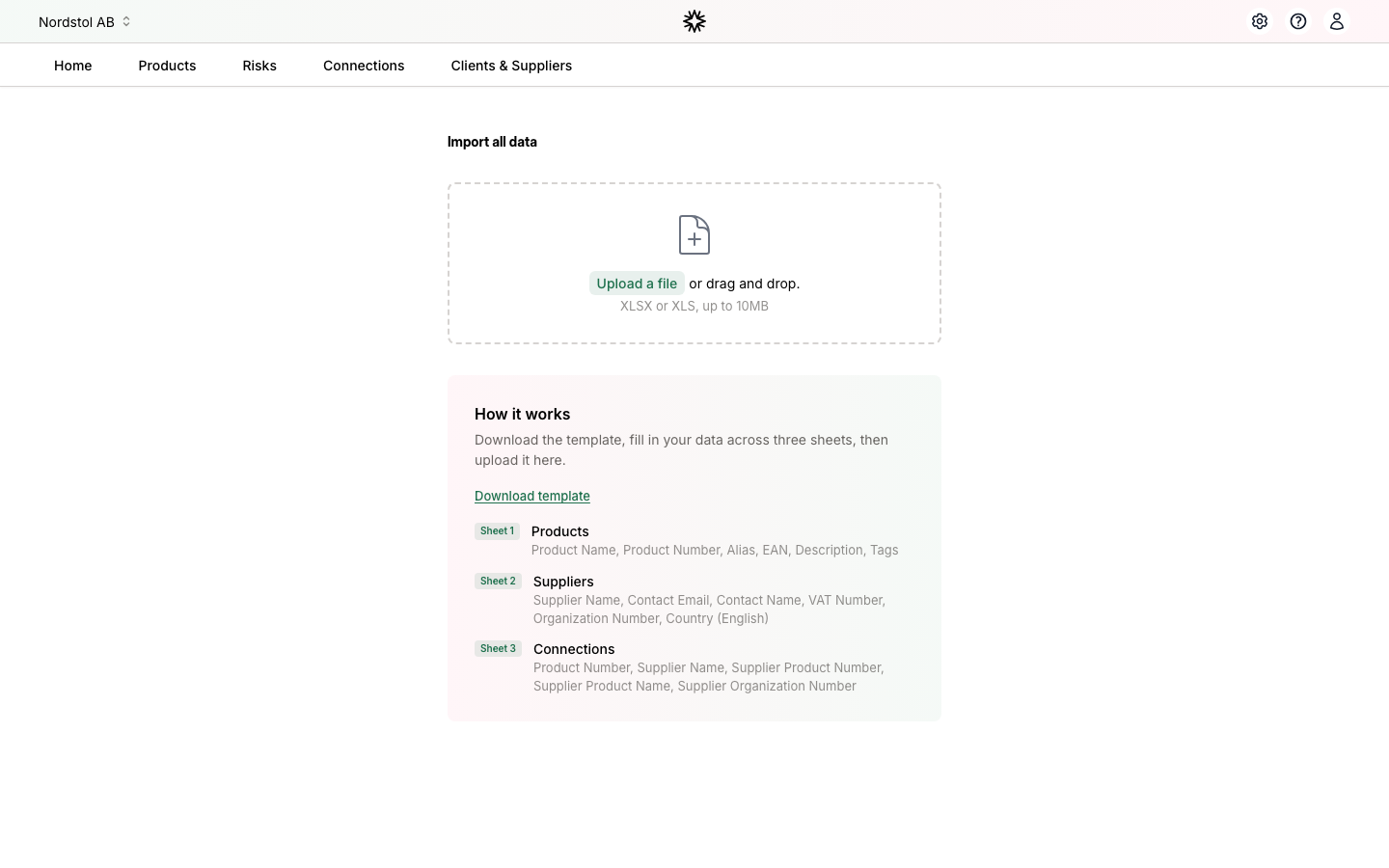
The template contains three sheets:
- Sheet 1 — Products: Product Name, Product Number, Alias, EAN, Description, Tags
- Sheet 2 — Suppliers: Supplier Name, Contact Email, Contact Name, VAT Number, Organisation Number, Country
- Sheet 3 — Connections: Product Number, Supplier Name, Supplier Product Number, Supplier Product Name, Supplier Organisation Number
After uploading, you will preview each sheet before confirming the import. Mitigater processes all three in order: products first, then suppliers, then connections.
Next step: Learn how to handle unhandled received connections.
Or
Next step: Invite your suppliers.